Revolution IRC Client
Publisher Description
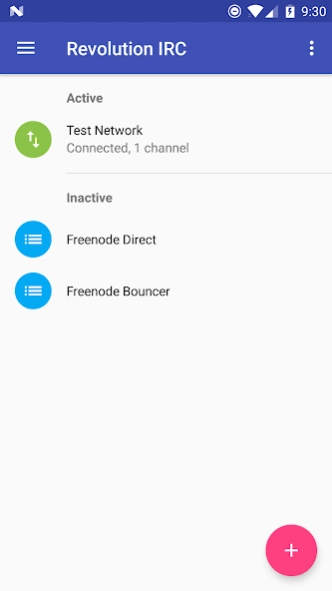
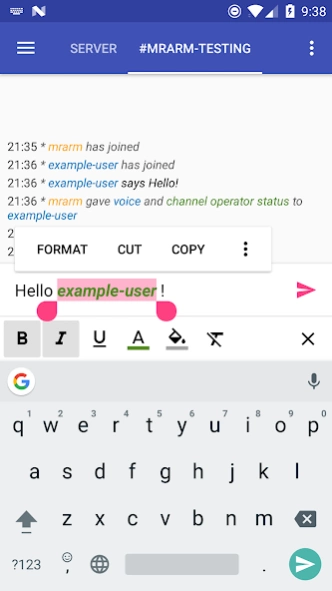
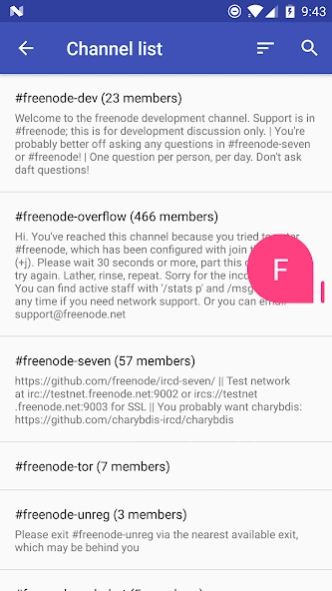
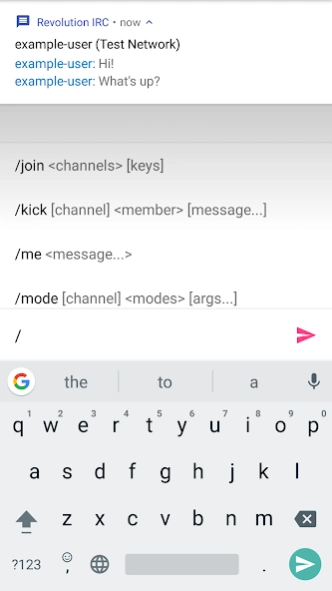
The next generation IRC client
Revolution IRC Client is the next-generation IRC client for Android, made with design and functionality in mind. Let's start this revolution!
This client features a modern Material design as well as many other awesome features:
- Stays in background properly, even on more recent Android versions
- Store chat messages to be displayed after reconnecting to the server later
- Nick/channel/command autocomplete
- Ignore list
- mIRC color formatting support
- SSL certificate exception list
- Command list to run after connecting
- Customization: custom command aliases, notification rules, reconnection interval, chat font, message format, app colors
...and much more!
Please note that this client is not finished yet and may be missing some features - if you find something missing, feel free to suggest those features to me!
This client is fully open-source as well and the source is available on GitHub: https://github.com/MCMrARM/revolution-irc
About Revolution IRC Client
The company that develops Revolution IRC Client is MCMrARM. The latest version released by its developer is 1.0 .
To install Revolution IRC Client on your Android device, just click the green Continue To App button above to start the installation process. The app is listed on our website since 2019-03-23 and was downloaded 9 times. We have already checked if the download link is safe, however for your own protection we recommend that you scan the downloaded app with your antivirus. Your antivirus may detect the Revolution IRC Client as malware as malware if the download link to io.mrarm.irc is broken.
How to install Revolution IRC Client on your Android device:
- Click on the Continue To App button on our website. This will redirect you to Google Play.
- Once the Revolution IRC Client is shown in the Google Play listing of your Android device, you can start its download and installation. Tap on the Install button located below the search bar and to the right of the app icon.
- A pop-up window with the permissions required by Revolution IRC Client will be shown. Click on Accept to continue the process.
- Revolution IRC Client will be downloaded onto your device, displaying a progress. Once the download completes, the installation will start and you'll get a notification after the installation is finished.
Program Details
System requirements
Download information
Pricing
Version History
version
posted on 2019-03-23
0.5.0
- Advanced theming features
- SASL External (CertFP) support
- New message indicator and banner (jump to last unread message)
- Date markers
- Local message deletion
- Start on boot option
- Send message history is now per-channel
- Bug fixes & enhancements
0.5.2:
- Bug fixes
